
Best Warehouse Management Software UK: 6 Options Compared
Compare six WMS options for UK warehouses, understand the real costs and use a worked receiving-to-despatch example to test each system before buying.
By OpsMavix. Product and pricing sources checked on 9 September 2026.
Your warehouse has 102 usable units of a product, but only 18 are in the picking location. Fifty units need to leave today. Can your software organise replenishment before the pickers arrive, keep damaged stock out of the order and record what actually ships?
That is the kind of question a warehouse management system should help you answer.
The best warehouse management software for a UK business depends on its order mix, storage layout, stock controls and existing systems. A parcel fulfilment operation, a wholesale warehouse and a business handling stock for several clients need different capabilities.
This guide compares six options, identifies pricing details worth checking and gives you a worked warehouse process to use in demonstrations.
About this comparison: OpsMavix builds custom operations systems and appears in the shortlist. Product facts come from public vendor documentation; suitability recommendations are our assessment, not results from hands-on testing. Business examples and quantities are hypothetical. Images are explanatory illustrations, not customer results or verified product screenshots.
Best warehouse management software UK: a practical shortlist
These are options for different operating needs, rather than a universal ranking. Compare the configuration you would actually purchase.
| Software | Worth considering for | Published price or pricing approach | Detail to check before buying |
|---|---|---|---|
| Mintsoft | Ecommerce brands, wholesalers and third-party fulfilment businesses. | Brand plans from GBP 159/month; 3PL plans from GBP 375/month. | Unlimited browser users are advertised; mobile access requires user licences. Confirm the included mobile allowance, volumes, modules, billing terms and VAT. |
| Cin7 Core | Product businesses seeking connected inventory, orders and warehouse functions. | Standard: US$349/month, excluding taxes. | Standard WMS supports one warehouse location. Advanced warehouse capabilities need the appropriate plan or add-on. |
| Descartes Peoplevox | Ecommerce operations with demanding picking, returns and peak-season requirements. | Displayed UK plan cards: Shopify Essentials from GBP 1,500/month; Growth from GBP 3,315/month. | Shopify Essentials includes three users. Check additional users, replenishment features, implementation, contract terms and tax in a UK quote. |
| SnapFulfil | Businesses assessing a dedicated cloud WMS, including retail, manufacturing and 3PL operations. | Request a scoped subscription quote. | Specify warehouse processes, users, sites, integrations and any separate automation requirements. |
| Keymas | Warehouses where software needs to work closely with physical automation. | Request a project quote. | Define the division between warehouse software, equipment control, installation and ongoing support. |
| OpsMavix | Product businesses with specific workflows that justify an owned custom build. | Starter Fix: GBP 3,000 to GBP 10,000; Growth System: GBP 10,000 to GBP 25,000; Operations Platform: from GBP 25,000. | These bands cover different project scopes. Agree the warehouse functions, devices, integrations, handover and running costs. |
Prices were checked on 9 September 2026. Entry prices are not equivalent quotes for the same warehouse. Keep dollar prices in dollars until you have a UK quotation or a dated exchange-rate assumption. Confirm taxes and contract terms directly with each supplier.
What to investigate in each system
Mintsoft: price the people using scanners
Mintsoft separates brand and 3PL packages, with client billing and a client portal listed for 3PLs. Its pricing also distinguishes the core platform, additional modules, onboarding and customer success arrangements. Mintsoft pricing details.
Count the people who need mobile access during a busy shift, including temporary staff. Ask for the total at normal and peak order volumes. Then demonstrate a customer return and a failed shipping-label request, as well as an ordinary pick-and-pack task.
Cin7 Core: distinguish inventory locations from WMS entitlement
Cin7 Standard lists unlimited inventory locations, but its Standard warehouse app supports one warehouse location. Advanced WMS supports multiple warehouse locations and additional controls, including FIFO/FEFO pick-order enforcement. Advanced WMS is listed as an add-on for Pro and included in Advanced. Cin7 plan comparison.
If you need several operational warehouses or enforced stock rotation, have the supplier identify the required package. Test the exact workflow rather than assuming a location allowance includes every warehouse function.
Peoplevox: check which picking tools are included
Peoplevox documents mobile scanning, failed-pick handling, stock movements and order-event history. These are useful areas to explore when ecommerce fulfilment is the main problem. Peoplevox features.
Its pricing lists bulk-to-pick replenishment and zone picking as optional Growth add-ons and included Enterprise features. The page also contains different regional currency figures in its FAQ, so confirm the GBP price and complete scope in writing. Peoplevox pricing.
Take a peak-period order sample into the demonstration and check how temporary users, replenishment tasks and cancelled orders are handled.
SnapFulfil: follow the work from bulk storage to despatch
SnapFulfil positions its cloud WMS for several warehouse sectors. Its warehouse process guide explains receiving, put-away, replenishment, picking and packing, including the need to refill picking locations when stock sits elsewhere in the building. SnapFulfil warehouse process guide.
Use the worked example below to assess that process in your proposed configuration. Ask the supplier to separate the WMS from any additional analytics, equipment integration or automation products in the quote.
Keymas: include the physical operation in the scope
Keymas describes tailored warehouse software connected with existing systems and automation equipment, supported through implementation and ongoing optimisation. Keymas warehouse management systems.
It is worth assessing when the software decision also involves conveyors, automated picking or equipment control. Ask who owns each interface and how the operation continues when a device or connection fails. Define software and equipment acceptance tests separately.
OpsMavix: establish why a custom build is needed
OpsMavix offers owned operations systems and broader ERP projects with no OpsMavix per-seat fee. Hosting is separate and care is optional. Its current pricing page states that VAT is not added to its listed project prices. OpsMavix pricing.
A custom project needs a clear reason: perhaps an unusual receiving process, a specific integration or a workflow that established products handle poorly. If standard software already meets the requirements at an acceptable total cost, it may be the better choice.
Agree source-code access, documentation, backups, support responsibilities and the cost of later changes before committing.
Do you need a WMS, inventory software or an ERP module?
A warehouse management system directs and records physical warehouse work: receiving, storage, picking, packing and despatch. Inventory software often focuses on stock records, purchasing and availability across channels. ERP software connects broader business functions, and may already include substantial warehouse capabilities.
The categories overlap. The practical question is what your current configuration can do.
| Your main problem | Start by investigating |
|---|---|
| Stock quantities differ between your shop, website and accounts. | Inventory records, transaction timing and integrations. |
| Stock exists, but pickers cannot find it or the picking location is empty. | Bin tracking, directed movements and replenishment. |
| You store and ship goods for several customers. | A WMS with stock-owner separation, client access and the billing functions you require. |
| Warehouse tasks work, but finance and purchasing are disconnected. | Existing ERP capabilities or a defined integration project. |
| A conveyor, robot or automated storage system must coordinate with warehouse tasks. | WMS and equipment-control integration, with clear ownership of each interface. |
For the underlying concepts, see what a warehouse management system does. For the wider purchasing and planning decision, see our supply chain management software guide.
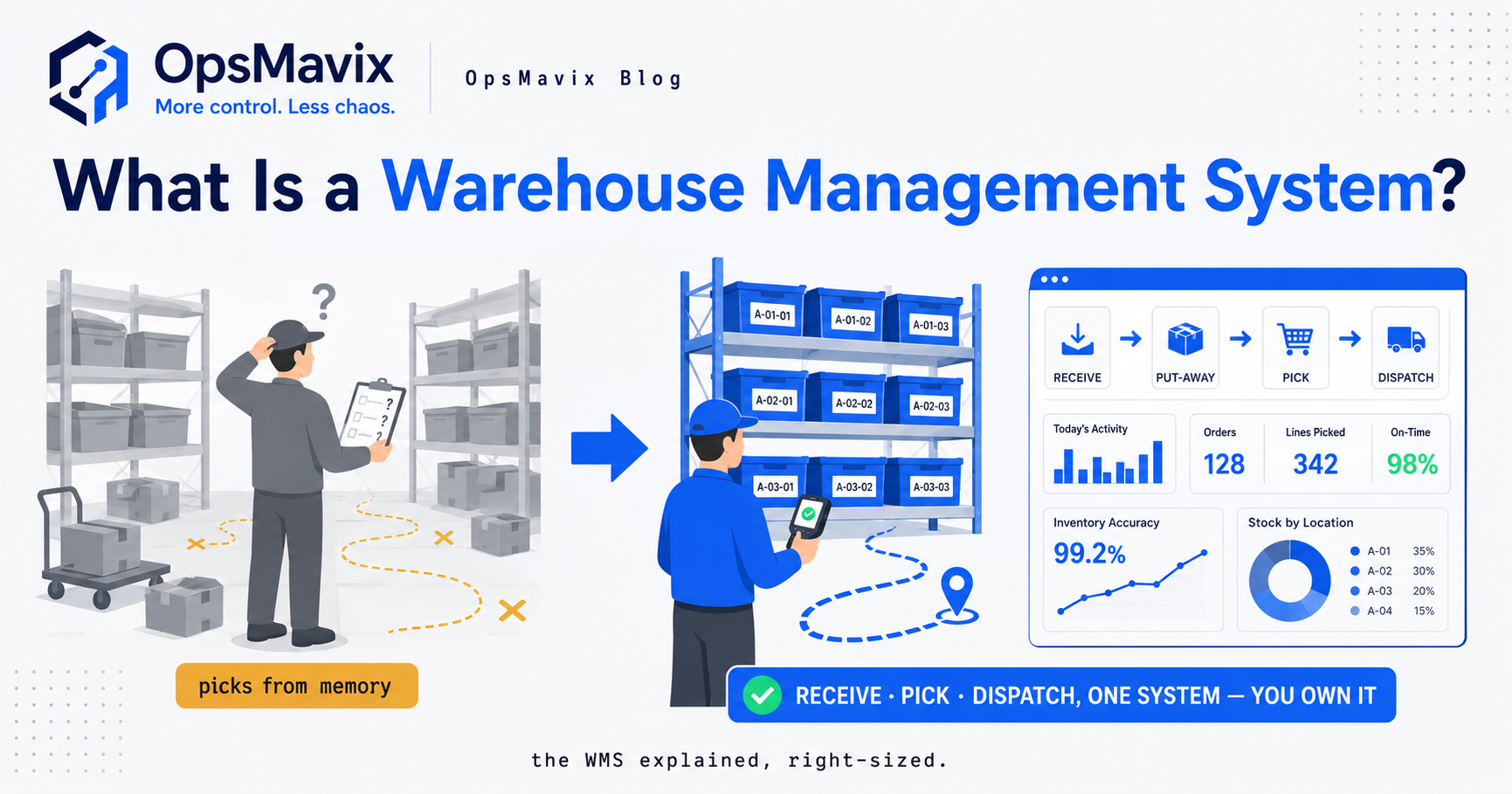
A WMS connects physical tasks with stock records. The dashboard figures shown here are illustrative, not measured customer outcomes.
Seven warehouse capabilities to test before buying
1. Receiving discrepancies and quarantine
Receive fewer cartons than the purchase order expects, then identify damaged units. The system should preserve the outstanding purchase quantity and distinguish usable stock from goods on hold.
Ask when stock becomes available to sales or picking. Arrival at the loading bay, completed inspection and completed put-away can be different events.
2. Bin locations and confirmed movements
Use a product held in two bins. Move part of it and check the source, destination, quantity and user history.
A warehouse name alone is not enough when staff need an aisle, bay and shelf. Conversely, a very simple stockroom may not need sophisticated movement rules. Match the controls to the building and work.
3. Replenishment from reserve storage
The total quantity in the building can be sufficient while the picking location is nearly empty. Ask how the system creates a replenishment task, prioritises it and confirms completion.
Check carton multiples, picking-bin capacity and the people authorised to carry out the movement. A prompt to buy more stock would solve the wrong problem in this situation.
4. Picking methods that match your orders
Single-order picking follows one order through the warehouse. Batch picking groups work across orders; zone picking divides work between areas. Each method needs a reliable way to keep the right items with the right customer order.
Bring your order mix into the demo: single-line parcels, multi-line trade orders, bulky products and urgent orders. Ask the operator to scan the wrong item deliberately and show what prevents it from continuing.
5. Batch, serial and expiry controls
Where these matter, test traceability through receipt, movement, picking and return. For expiry-sensitive stock, check whether first-expiry-first-out rules also respect holds and the customer’s minimum remaining shelf life.
A barcode reader only captures the information it is configured to recognise. Demonstrate the labels you actually receive, including carton and individual-item barcodes.
6. Packing, carrier labels and returns
At the packing bench, verify item, quantity and order before generating the shipping label. Check your required Royal Mail, DPD or other carrier services and the handling of multiple parcels.
Creating a label and handing a parcel to the carrier are separate events. Agree which event marks an order despatched. Returned goods should follow an inspection and disposition process before becoming sellable again.
7. Counting and failure recovery
Count a bin with a discrepancy and check the approval process and audit trail. Find out how transactions during a count are controlled so a legitimate movement does not become an unexplained variance.
Also test a lost connection and a retried transaction. The team needs to see what failed and recover without duplicating a receipt or shipment. If offline operation is offered, ask exactly which tasks it supports and how conflicts are reconciled.
A worked warehouse test: from receipt to replenishment and despatch
Use this hypothetical example with every shortlisted supplier. It is an acceptance test, not a claim that every product passes it as standard.
Your purchase order is for 10 cartons of 12 units: 120 units. The supplier delivers nine cartons, containing 108 units. Six units are damaged and held for inspection. You therefore have 102 usable units and 12 units still outstanding on the purchase order.
Put the stock into these locations:
| Location | Purpose | Quantity |
|---|---|---|
| PICK-A12 | Picking location | 18 usable units |
| RESERVE-R04 | Reserve storage | 84 usable units |
| HOLD-Q01 | Quarantine | 6 damaged units |
| Total physically received | 108 units |
Two customer orders require 30 and 20 units. There are no other reservations. The picking location holds a maximum of 60 units, and your replenishment rule moves whole cartons of 12.
What the system should show
| Step | Action | Expected result |
|---|---|---|
| 1. Receive | Record nine cartons against the ten ordered. | Receipt equals 108 units; 12 remain outstanding. |
| 2. Inspect | Move six damaged units to quarantine. | 102 units are usable; six remain blocked. |
| 3. Allocate | Commit 50 usable units to the two orders. | 52 usable units remain uncommitted. Quarantined stock is excluded. |
| 4. Replenish | Move three cartons, or 36 units, from reserve to the picking location. | Picking location rises from 18 to 54; reserve falls from 84 to 48. Total stock is unchanged. |
| 5. Pick | Scan 30 units into one order container and 20 into the other. | Four units remain in the picking location. The 50 picked units are tracked in staging and remain committed. |
| 6. Pack and despatch | Verify both orders and record 50 units leaving. | 58 units remain physically: four in picking, 48 in reserve and six in quarantine. Of these, 52 are usable. |
Why move 36 units? The immediate shortage at the picking location is 50 - 18 = 32 units. Three full cartons provide 36, and 18 + 36 = 54 stays within its 60-unit capacity.
Picking should not make the same units disappear twice. Goods moved to staging are still physically present until despatched; the system needs to represent the location and commitment correctly through both events.
Then introduce an exception
Cancel the 20-unit order after it has been picked. Ask the operator to reverse the pick, release its reservation and return the goods to an appropriate location with a recorded movement.
Then retry a receipt message that has already succeeded. Check that the software recognises the duplicate instead of adding another 108 units.
Record whether each requirement is standard, configured, an add-on, custom work or unverified. Make those answers part of the proposal.
Integrations: decide which system owns each record
Your WMS may connect to an online shop, an order-management application, purchasing, accounts and shipping software. Agree where each record is created and which system is allowed to change it.
| Record or event | Decision to document |
|---|---|
| Product and barcode | Where is it maintained, and how do changes reach scanners? |
| Customer order | Which system controls amendments, cancellations and allocation? |
| Warehouse movement | Which stock record updates, and when do other systems receive it? |
| Shipment | What confirms despatch, and how are partial shipments represented? |
| Return | Who approves the credit, and who releases stock after inspection? |
Test a missed update and a retry, not just the first successful connection. Include integration monitoring, support ownership and peak transaction volumes in the scope.
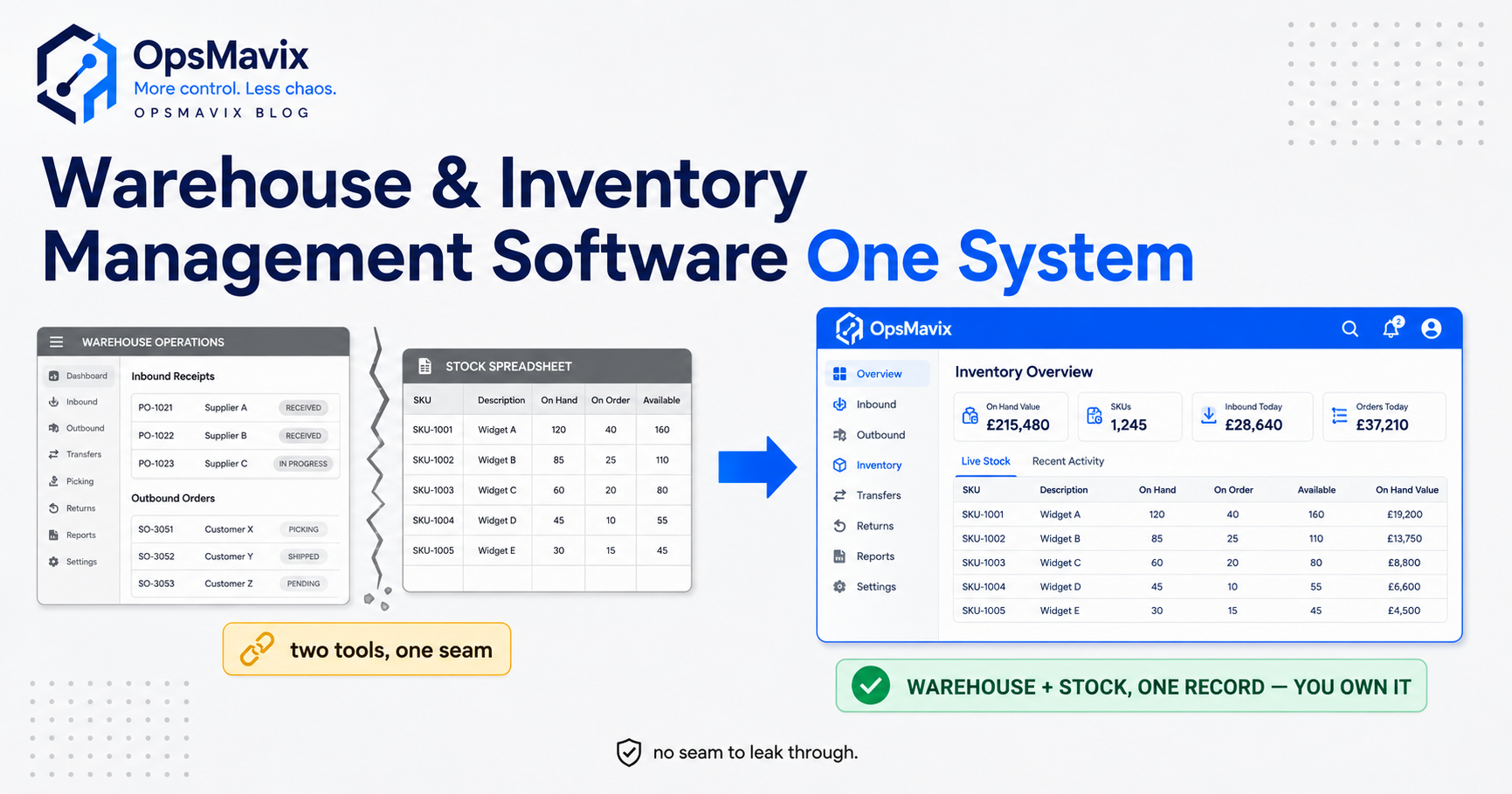
Illustration of connected warehouse and inventory records. Incoming stock still needs to be received and released before it can be picked; the example screen is not an availability calculation for your warehouse.
If customer pricing, purchasing and stock availability are the main decision, our wholesale inventory software comparison covers that wider commercial workflow.
How much does a warehouse management system cost in the UK?
Published prices give you a starting point, but a useful WMS budget needs the complete operating scope. Ask suppliers to quote the same users, devices, order volumes, warehouses, integrations and controls.
Include implementation, data preparation, training, scanners, label printers, wireless coverage, support and future changes. For a custom build, include hosting, maintenance and handover. For subscriptions, check mobile users, transaction allowances and extra modules.
Example three-year budget
The following figures are invented planning allowances for one warehouse. They are not vendor prices, market averages or a quote for any system above. The example excludes VAT and assumes unchanged prices over three years.
| Cost | Illustrative calculation | Three-year amount |
|---|---|---|
| Platform subscription | GBP 400 x 36 months | GBP 14,400 |
| Four mobile-user licences | 4 x GBP 30 x 36 months | GBP 4,320 |
| Implementation and data migration | One-off allowance | GBP 6,000 |
| Scanners, printer and wireless improvements | One-off allowance | GBP 2,400 |
| Integration setup | One-off allowance | GBP 1,800 |
| Internal training and launch time | One-off allowance | GBP 2,000 |
| Additional support | GBP 100 x 36 months | GBP 3,600 |
| Total | GBP 34,520 |
Only add separate support or mobile fees where they are genuinely additional in the proposal. Avoid counting bundled costs twice. Add allowances for hardware replacement, changes and exit work if relevant.
Request a second quote for your expected peak or growth scenario. A plan that works for four permanent warehouse users may price differently when eight people need scanners before Christmas.
Measure benefit without promising savings
Suppose 2,000 monthly orders currently produce 40 confirmed mis-ships: a 2% rate. A pilot reduces that to 10 on a comparable order mix: 0.5%. That is 30 fewer incidents.
At an assumed GBP 18 of avoidable incremental cost per incident, the value is GBP 540 per month. This is hypothetical, and the benefit needs to be measured rather than borrowed from a vendor’s headline percentage.
Track staff time separately. Faster picking may create capacity to handle more orders without increasing payroll; it becomes cash savings only if actual spending falls. Do not add the same labour cost into both the incident saving and the time saving.
How to choose and launch without disrupting the warehouse
Agree essential requirements first
Define the requirements that must pass: for example, stock-owner separation, batch traceability, carton conversion or a particular carrier service. A strong overall score should not override a failed essential requirement.
For the remaining comparison, an example weighting is 35% warehouse workflow, 25% integrations and data, 20% total cost, 10% usability and 10% support and handover. Adjust these weights to your business.
Let warehouse staff run the demonstration
Use your product labels and representative orders. Ask a receiver, picker and supervisor to complete their normal tasks and one exception each. Note how many workarounds, overrides or separate applications are needed.
Prepare the physical and product data
Confirm unique bin labels, SKU identifiers, barcode mappings, carton quantities and stock statuses. Reconcile opening stock, open receipts and unshipped orders before migration.
Test scanners, printers and wireless coverage on the actual floor. A correct screen in a meeting room does not establish that a picker can use it reliably in the far aisle.
Pilot a representative area
Start with a controlled product group or work area that includes the difficult cases. Set acceptance criteria for quantities, traceability, shipping and recovery before launch. Agree who decides whether the pilot is ready to expand and how the warehouse continues if it must pause.
Use a clear cut-off and reconciliation process when moving from the old system. Avoid uncontrolled double entry that creates competing stock records.
Review quality alongside speed
Track exact-match counts by SKU, bin and stock status; mis-ships per order; receiving-to-availability time; and orders waiting for replenishment. Define each measure consistently.
For example, 196 exact matches from 200 counted stock records gives 98% record accuracy under that definition. It is not a claim that 98% of all units or stock value is correct.
Compare similar order mixes when measuring pick rates. Faster work that increases packing corrections or returns is not the improvement you intended.
Frequently asked questions
What is the best warehouse management software for a small UK business?
Start with your required workflow. Mintsoft and Cin7 Core are worth investigating for different combinations of fulfilment, inventory and orders. A simpler stockroom may already be served by its existing software. Check bin controls, scanning, user allowances and total costs before moving to a larger system.
Which WMS is best for ecommerce?
Ecommerce buyers can assess options such as Mintsoft and Peoplevox against order peaks, picking methods, returns and carrier connections. Your sales channels and required configuration matter more than a generic “best” label. Use a real busy-day order sample to compare them.
What should a 3PL look for?
Third-party logistics businesses should test ownership of stock separately from its physical location, client permissions, customer-specific workflows and charging rules. Storage, handling, packing materials and despatch charges may need different billing events. Include these requirements in both the demonstration and quote.
Is a WMS different from inventory management software?
Yes, although capabilities overlap. A WMS emphasises physical work, such as put-away, bin movements and picking. Inventory software emphasises quantities, purchasing and availability. Assess the functions your team needs rather than relying on the category name.
Can we keep our ERP or accounting system?
Often the project can retain existing applications, but the integration must be assessed. Check record ownership, transaction mapping, timing and error recovery. Also investigate whether your existing ERP’s warehouse module already meets the requirement with suitable configuration or an extension.
Can a WMS eliminate picking errors?
It can help prevent and detect errors through scanning, location controls and verification. It does not guarantee zero mistakes. Incorrect barcode data, bypassed steps, damaged labels and unresolved exceptions can still cause problems. Measure the result during a pilot.
How long does WMS implementation take?
The answer depends on warehouse scope, data quality, equipment, integrations and training. Ask for milestones and responsibilities covering preparation, configuration, testing, stock reconciliation, launch and support. A narrow workflow and an automated multi-site operation should not share the same assumed timetable.
Is a custom WMS better than standard software?
Custom software can suit a well-defined operational gap, but standard software may already handle your process well. Compare demonstrated functionality, total cost, support, maintenance and practical handover. Ownership is one factor in that decision, rather than proof of better performance.
See what OpsMavix would build for your warehouse
OpsMavix builds owned operations systems for UK product businesses. A warehouse project can connect receiving, stock, picking and despatch with the tools your office already uses.
Bring one difficult order, one stock discrepancy and the applications involved to a free Operations Leak Audit. We can map the process, identify the gap and assess whether configuration, a focused build or a broader system is the appropriate next step.
Review our inventory and warehouse offering and current project price bands before getting in touch.